
YouTube is full of incredible POV rides: gravel climbs, mountain passes, coastal roads, and city loops filmed by riders all over the world. With YouTread, those videos become smart-trainer workouts. The route drives your resistance or power, so when the road climbs on screen, you feel it in your legs.
What you need
- An FTMS smart trainer or smart bike.
- Chrome or Edge on a computer near your trainer.
- A few minutes to run the free compatibility test.
Pick a ride
Start with a ready-made workout from the free public workout library, where POV Cycling and Route Cycle workouts play right away. Members can also turn their own favorite YouTube rides into workouts.
Try the free demo first
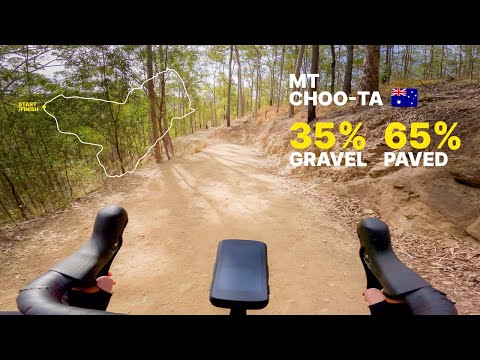
The fastest way to feel it is the free POV gravel ride up Mt Coot-tha near Brisbane. No account, no card.
Try before signup
Free bike demo, no account
Connect your trainer
Open the workout in Chrome or Edge, connect your trainer over Bluetooth, and press start. If you're not sure your equipment is supported, the compatibility test confirms it in a minute or two.
Choose how the video follows you
Let the video follow the original rider, exactly as it was filmed, or set a target pace of your own. Change it on the fly with on-screen buttons whenever you want an easier spin or a harder push.
Bring your own routes and intervals
GPX and Strava import: import a GPX or Strava file and its elevation becomes the workout. ZWO/ERG plans: load ZWO/ERG interval plans on POV Cycling and Route Cycle workouts and ride your structured sessions through real scenery.
Watch: routes, ZWO workouts and the editor
This overview shows route selection, ZWO interval workouts and the workout editor in action.
Race ghosts and bots
Every saved session becomes a ghost you can race on the same route. Chase your own previous rides, sessions other members have made public, and Bot Racers like Steady Metronome, who holds a very even pace, and Comeback Kid, who starts behind you and fights back past you. Mix bots and human ghosts in the same race for a full field.
Free trial and plans
Demo and public workouts are free with no account. Start the 14-day free trial for your own YouTube rides, saved sessions, and racing. After the trial, plans are $10 a month or $79.99 a year. Already riding Zwift or Rouvy? YouTread is built to work alongside them.
Frequently asked questions
Can I ride a YouTube video on my smart trainer for free?
Yes. YouTread's demo workouts, including a POV gravel ride for bikes, and its public workouts are free with no account. For your own videos, saved sessions, and racing, start the 14-day free trial. Plans are $10/month or $79.99/year after the trial.
Will this work with my smart trainer or bike?
Run the free compatibility test at youtread.com. In a minute or two it confirms that your browser can connect and that YouTread can control your trainer or bike.
Does YouTread replace Zwift or Rouvy?
It's built to work alongside them. Keep your current platform and add real-world YouTube rides to your training week.
Can I ride my intervals on a YouTube video?
Yes. Load ZWO/ERG interval plans on POV Cycling and Route Cycle workouts.