
YouTube is the biggest treadmill library in the world: POV trail runs, city walking tours, mountain hikes, and coach-led interval sessions from thousands of independent creators. Most people watch them on a tablet propped on the console and press the incline button by hand, guessing when the hill starts.
YouTread connects the video to your treadmill. When the trail climbs on screen, your incline climbs under your feet. You choose how the video moves with you, and you can race your own past runs, other members' runs, and bot pacers on the same route. It all runs in your browser, with the equipment you already own.
Start free: try YouTread right now
You can feel the difference in a few minutes, without creating an account:
- 4 free demo workouts, no signup. Open one in Chrome or Edge, connect your equipment, and press start:
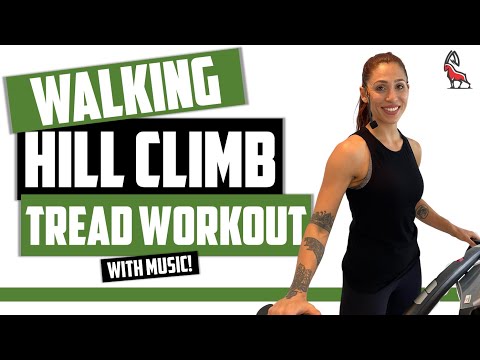
- Walking Hill Climb Treadmill: a 20.7-minute coached hill walk.
- Castle Run Challenge, Bellinzona, Switzerland: a 30.6-minute POV run.
- POV gravel ride up Mt Coot-tha near Brisbane, Australia: a 25.6-minute POV ride for bikes.
- Zombie Escape! Run!: a 5-minute sprint to get your heart going.
- Free public workouts. Browse the public workout library and run any of them without an account.
- 14-day free trial. Sign up for full member access: save every session, race ghosts and bots, tune your settings, and turn any YouTube video into your own workout. Cancel before the trial ends and you pay nothing.
Try before signup
Four free demo workouts
 No signup
Walking Hill Climb Treadmill
20.7 min coached hill walk
Try This Workout → No signup
Castle Run Challenge, Bellinzona
30.6 min POV run
Try This Workout →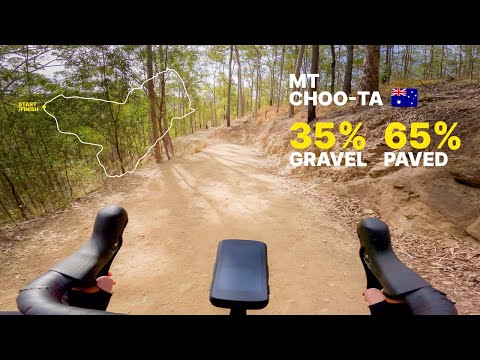 No signup
POV Gravel Ride, Mt Coot-tha, Brisbane
25.6 min POV ride
Try This Workout → No signup
Zombie Escape! Run!
5.0 min sprint
Try This Workout →The usual way vs. the YouTread way
The usual way: put YouTube on a phone, tablet, or TV. It's simple, but the treadmill has no idea what's on screen. You watch for the hill, reach for the button, and the video keeps rolling at its own pace whatever you do. Built-in touchscreen consoles often limit which apps you can open, so many owners end up with a tablet on the shelf anyway.
The YouTread way: the video and your treadmill work together.
- Incline follows the terrain. On route videos (POV runs, hikes, and walks), the route's elevation drives your incline automatically, so a climb on screen is a climb under your feet.
- You choose how the video moves. Let the video follow the original runner's pace, just as it was filmed, or follow a target pace of your choosing. Change it on the fly, mid-run, with easy on-screen buttons. Want an easier day or a harder push? Tap and keep going.
- Coached workouts run themselves. For coach-led YouTube videos ("bump it to 6.5 and 4% incline..."), YouTread's AI analysis turns the coach's spoken cues into an automatic speed and incline timeline, ready to fine-tune in the editor.
- Any public video can become a workout. You're not locked into one company's library, and the creator still gets the YouTube view and the ad revenue.
- Your machine, your range. YouTread detects your equipment's speed and incline range and maps every workout to it, so the same route fits a compact walking pad or a full-size incline trainer.
Race ghosts and bots on the same video
Running alone is optional. Every YouTread workout can become a race.
Ghost racing: you vs. your past self (and other members)
When you finish at least 20% of a member workout, YouTread saves your session automatically. Next time, add it to the race and chase your own ghost: your previous sessions on the same route, at the exact pace you ran them. You can also race sessions other members have made public. Turn on sharing for any of your own sessions and others can race you too. Ghost markers move along the timeline and in the Racers overlay, so you always know whether you're ahead or behind.
Bot Racers: pacers and personalities
Bot Racers add synthetic competitors to POV and route workouts, each with its own racing style:
- Fixed pacers. Give a bot a target pace, such as an 8-minute mile, and it becomes your pacer. Hang on to it for a steady tempo run, or try to drop it.
- Original Athlete. Race the pace of the person who filmed the video, straight from the workout's recorded telemetry.
- Steady Metronome. Holds a very even pace with only tiny corrections. Perfect for practicing pacing.
- Comeback Kid. Starts behind you, then fights all the way back past you into a small lead. Can you hold it off?
- Early Burnout. Goes out hot, builds a big lead, then fades badly late. Be patient and reel it in.
- More personalities, including a strong finisher with a hard second-half surge, a negative-split specialist, a shadow that stalks you and attacks, and a pusher that runs just ahead of you.
Tune each bot's target pace, responsiveness, and starting gap (ahead of you or behind), pick its shirt color, or set its pace to match yours. Then mix bots and human ghosts in the same race for a full field. Racing is for motivation and comparison; it never changes the workout itself.
How a YouTube video becomes a treadmill workout
Every YouTread workout is a YouTube video plus a timeline of speed and incline. There are four ways to build one:
| Method | Best for | How it works |
|---|---|---|
| GPX / Strava import | POV runs, walks, and hikes with a known route | Import a GPX or Strava TCX file and its elevation becomes incline. |
| Live recording | POV videos without a route file | Do the workout once and YouTread records the speed and incline you actually used. |
| AI analysis | Coach-led videos with spoken cues | AI pulls speed, incline, and interval changes from the coaching, giving you a strong first draft to fine-tune. |
| Manual keyframes | Anything | Set speed and incline at exact timestamps in the editor. |
Want a twist on someone else's workout? Make a customized copy with gentler hills or a faster pace, and the original stays exactly as the creator made it. No video? Route Run simulations let you run any GPX route on a 3D satellite map.
What you need
- Chrome or Edge on a Windows or Mac computer, a Chromebook, or an Android phone or tablet.
- A Bluetooth FTMS treadmill or walking pad, the open fitness-machine standard. Many other treadmills connect through the QZ Fitness bridge app.
- A screen you can see while you run: a laptop on the console, a tablet, or a TV.
Not sure about your equipment? Run YouTread's free compatibility test. It checks your browser and confirms YouTread can connect to and command your machine, usually with a quick beep or movement, before you subscribe.
Set it up in about 5 minutes
- Run the compatibility test in the browser you'll use for workouts.
- Open a free demo workout and click connect. Choose your treadmill (or QZ) from the Bluetooth list.
- Start the belt and press play. As the route climbs and descends, YouTread changes your incline for you.
- Start the 14-day free trial to save sessions, race ghosts and bots, set your units and equipment range, and turn your own YouTube favorites into workouts.
Frequently asked questions
Can I watch YouTube on my treadmill for free?
Yes. YouTread's 4 demo workouts and its public workouts are free with no account, and they connect the video to your treadmill so the incline changes automatically. For your own videos, saved sessions, and racing, start the 14-day free trial. Plans are $10/month or $79.99/year after the trial.
Will this work with my treadmill?
Run the free compatibility test. In a minute or two it confirms that your browser can connect and that YouTread can command your treadmill. It works with Bluetooth FTMS treadmills and walking pads, and with many other machines through the QZ Fitness bridge. NordicTrack and ProForm owners can also read our guide for NordicTrack and ProForm.
Does it work with walking pads?
Yes. YouTread works with FTMS walking pads, including KingSmith WalkingPad and UREVO models where supported, and with others through the QZ bridge. YouTread can control the belt speed, and the video moves with you. Run the compatibility test to check your model.
Can I race other people or a pacer?
Yes. Race your own previous sessions, sessions other members have made public, and Bot Racers like a fixed 8-minute-mile pacer, Steady Metronome, Comeback Kid, or Early Burnout. Mix bots and human ghosts in the same race.
Can I control how the video moves?
Yes. You choose whether the video follows the original runner's pace or a target pace of your choosing, and you can change it on the fly mid-run with on-screen buttons.
Do YouTubers lose views if I use YouTread?
No. The video plays through YouTube's own player, so the creator keeps the view and the ad revenue.
Can I use any YouTube video?
Any public video can be turned into a workout. Videos that already have a workout timeline play right away. For a new video, build the timeline with GPX import, live recording, AI analysis, or manual keyframes.
Does it work with bikes, ellipticals, and rowers?
Yes. YouTread supports FTMS smart bikes, ellipticals, and rowers. The route controls resistance or power instead of incline, and cyclists can load ZWO/ERG interval plans.
Your next run can climb a real mountain
Open a free demo workout in Chrome or Edge, connect your treadmill, and feel the first hill arrive under your feet. No account and no card needed.