
 No signup
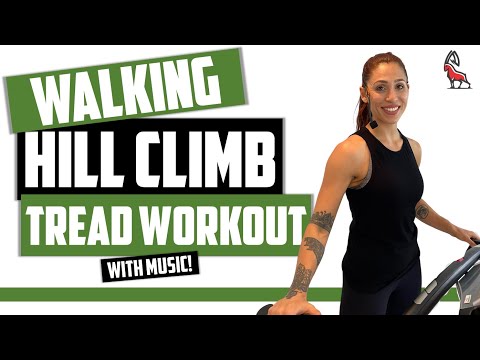
Walking Hill Climb Treadmill
20.7 min synchronized preview
Try This WorkoutOpen workouts. Real terrain. Any video.
Automatically sync smart training equipment speed, incline, power, resistance and workouts using YouTube videos, Artificial Intelligence, GPX routes or Strava activities.
$10 a month or $79.99 for a year after trial. Free demos require no account.
Try before signup
Start a synchronized treadmill workout immediately. No account, no setup funnel, just a live preview of YouTread terrain, timing, and video sync.
No signup
20.7 min synchronized preview
Try This Workout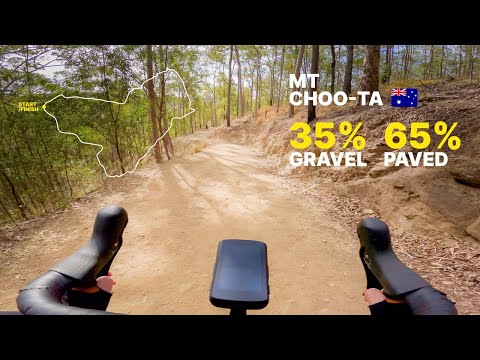 No signup
25.6 min synchronized preview
Try This Workout No signup
30.6 min synchronized preview
Try This Workout No signup
5.0 min synchronized preview
Try This WorkoutFeature set
Translate elevation and route changes into treadmill incline, resistance, and terrain simulation.
Keep video motion and workout effort connected with playback synchronization that responds to pace.
Import GPX routes and Strava activities to create indoor climbs, descents, and outdoor route profiles.
Extract coach-led structure from YouTube workouts and convert it into editable smart treadmill control.
Use public videos, creator workouts, route footage, or your own content without locking into one library.
Control FTMS-enabled fitness equipment directly in the browser with speed, incline, and resistance telemetry.
How it works
Import GPX routes, Strava activities, or YouTube workouts.
Refine speed, incline, resistance, and timing with timeline precision.
Choose your treadmill, walking pad, bike, elliptical, or rower profile.
Start the workout and let video, terrain, and telemetry move together.
Race recorded sessions and compare efforts against previous performances.
Repeat routes, tune workouts, and build measurable progress.
App experience
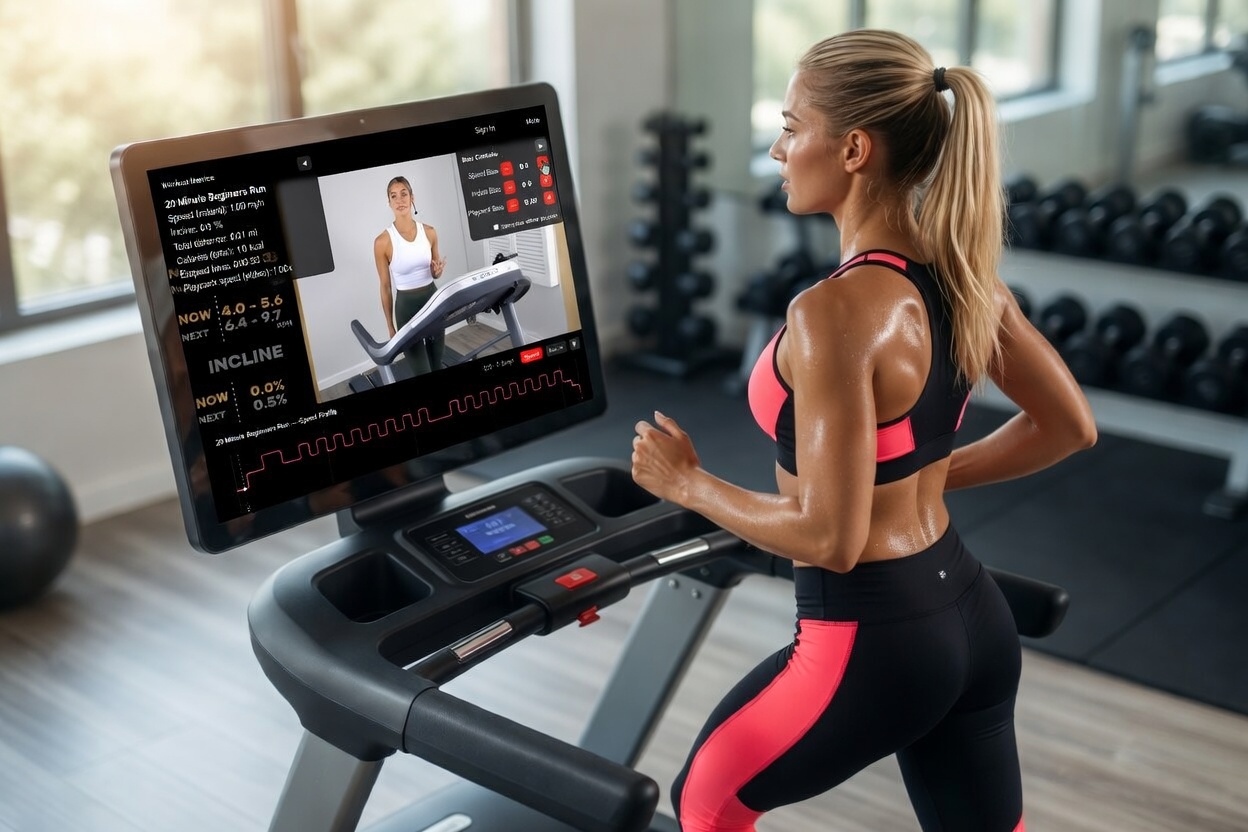
Layered playback, incline graphs, pace cues, and treadmill control visuals make every workout feel synchronized and cinematic while keeping controls clear.
Freedom matters
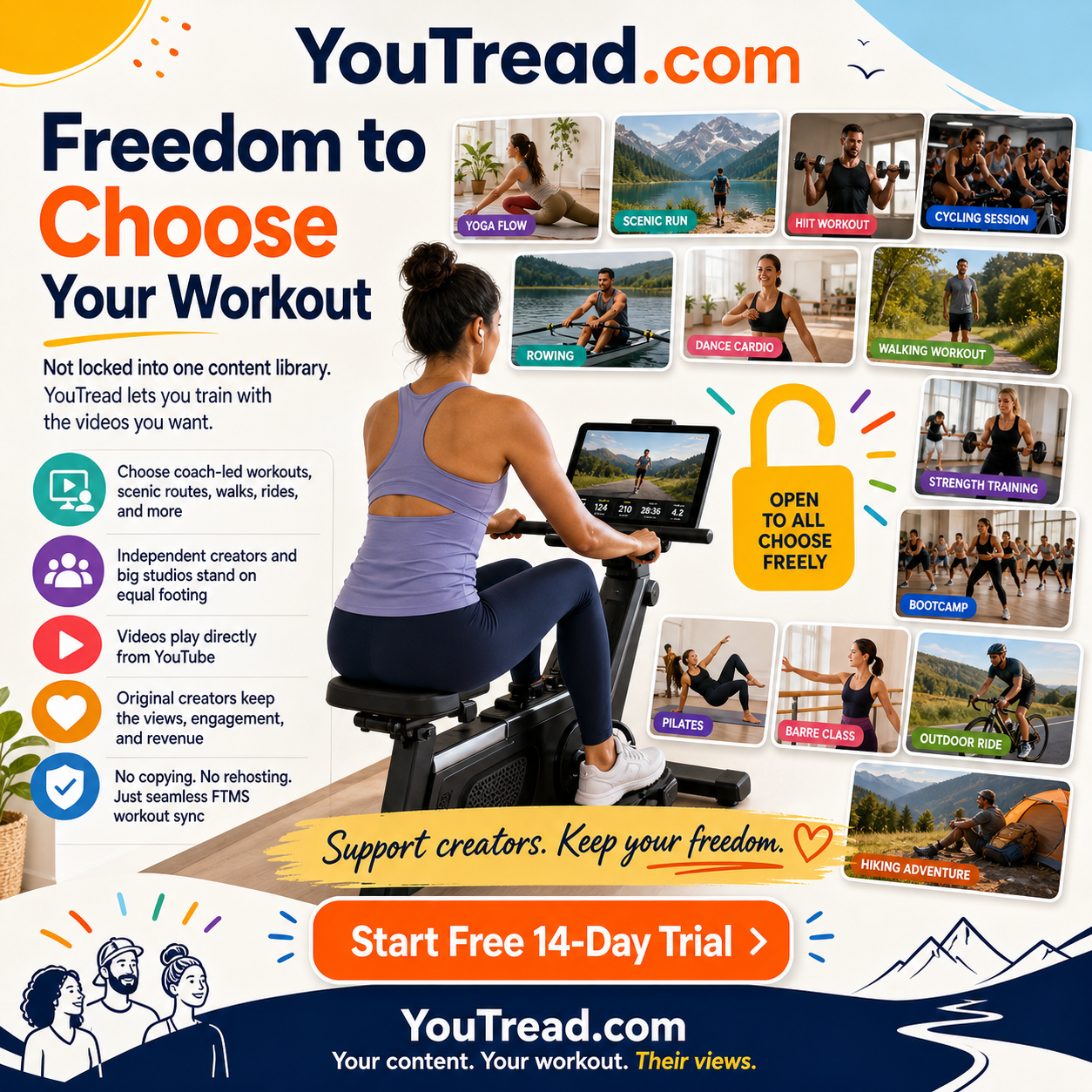
Unlike locked subscription ecosystems, YouTread lets runners, walkers, cyclists, rowers, and creators stay independent. You choose the content, creators keep their YouTube revenue, and existing treadmills continue working.
Compatibility
YouTread supports FTMS-compatible fitness equipment and bridge workflows for many treadmills, walking pads, ellipticals, rowers, and indoor cycling setups.
Smart treadmill speed and auto incline control through Bluetooth Fitness Machine Service.
Under-desk and compact treadmill workflows, including KingSmith WalkingPad and UREVO-style setups where supported.
Native FTMS control for premium treadmill terrain, pace, and incline synchronization.
Bridge support can extend YouTread to many non-FTMS treadmills, ellipticals, rowers, and bikes.
Resistance, power, and video pacing workflows for smart bikes and trainer-style equipment.
Use YouTube workout synchronization with supported equipment profiles beyond treadmills.
Technical depth
The deeper explanations stay here for visitors and search engines that need precise information about FTMS treadmill control, GPX treadmill sync, Strava treadmill integration, YouTube workout synchronization, and smart terrain simulation.
YouTread provides native FTMS Bluetooth control and broader device support so your workout video and equipment stay in sync. Automatically control equipment settings by timestamp, coach commands, terrain changes, or custom keyframes you define. Works with treadmills, indoor cycling, ellipticals, and rowers.
Supports FTMS-compatible devices and many more via bridges like QZ Fitness.
Exercise to any Youtube video and have speed, incline, or resistance adjust automatically at specific timestamps. YouTread turns public videos, creator-led sessions, and custom training content into interactive workouts with editable telemetry.
Outdoor route control turns GPX and Strava-style outdoor routes into automated terrain control for climbs, descents, resistance, and pacing. Terrain simulation helps indoor workouts feel connected to real elevation and route changes.
Import GPX routes and Strava activities, then transform them into interactive treadmill terrain profiles. Route elevation can drive incline and resistance while video playback remains synchronized with your effort.
Youtube video playback speed follows your effort while Human Sessions stay anchored to their own recorded timelines. Playback synchronization keeps the visual experience aligned with real treadmill, cycling, rowing, or elliptical performance.
Use AI to build telemetry from coach-led Youtube workouts so speed, incline, resistance, and other settings can change with the session. Automatic extraction creates a starting point that can be edited with timeline-level precision.
Youtube video playback speed follows your effort while Human Sessions stay anchored to their own recorded timelines.
Exercise to any Youtube video and have speed, incline, or resistance adjust automatically at specific timestamps.
Use AI to build telemetry from coach-led Youtube workouts so speed, incline, resistance, and other settings can change with the session.
Turn GPX and Strava-style outdoor routes into automated terrain control for climbs, descents, resistance, and pacing.
If you have tried Kinomap, Zwift, Rouvy, Peloton, iFIT, TrainerRoad, Wahoo SYSTM, FulGaz, MyWhoosh, or BKOOL, YouTread gives you a different option: use Youtube workouts and public videos while controlling FTMS treadmills, bikes, ellipticals, and rowers with editable speed, incline, resistance, and power timelines.
All workouts are fully customizable with in-player controls, primary and secondary setting tweaks, and recorded sessions you can race later.
Native FTMS Bluetooth control for Wahoo KICKR RUN and many other compatible machines.
Works with QZ Fitness bridge for many non-FTMS treadmills, ellipticals, rowers, and walking pads.
Add up to 10 recorded Human Sessions, then compete against their real telemetry progress while you run, ride, row, or walk.
Under-desk treadmills, KingSmith WalkingPad, UREVO, and dozens more.
Create, edit, duplicate, and tune workouts with timeline-level precision.
Record every completed workout, review session graphs, and race past performances to make progress measurable and repeatable.
Connect your compatible equipment in the browser, then choose or create a Youtube workout. YouTread handles synchronized control in real time for treadmills, ellipticals, and rowers.
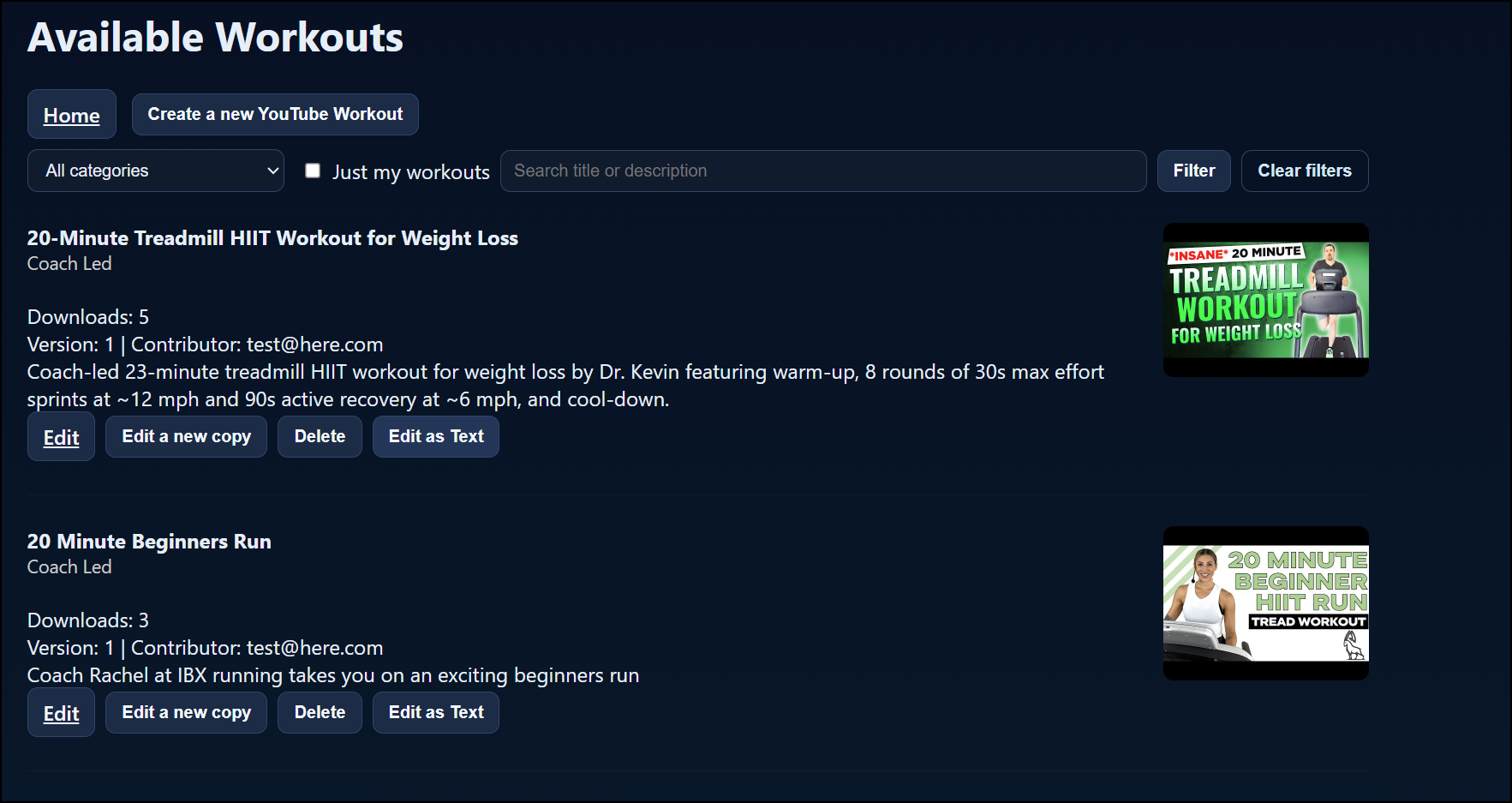
Browse published workouts and pick the best match for your goals.
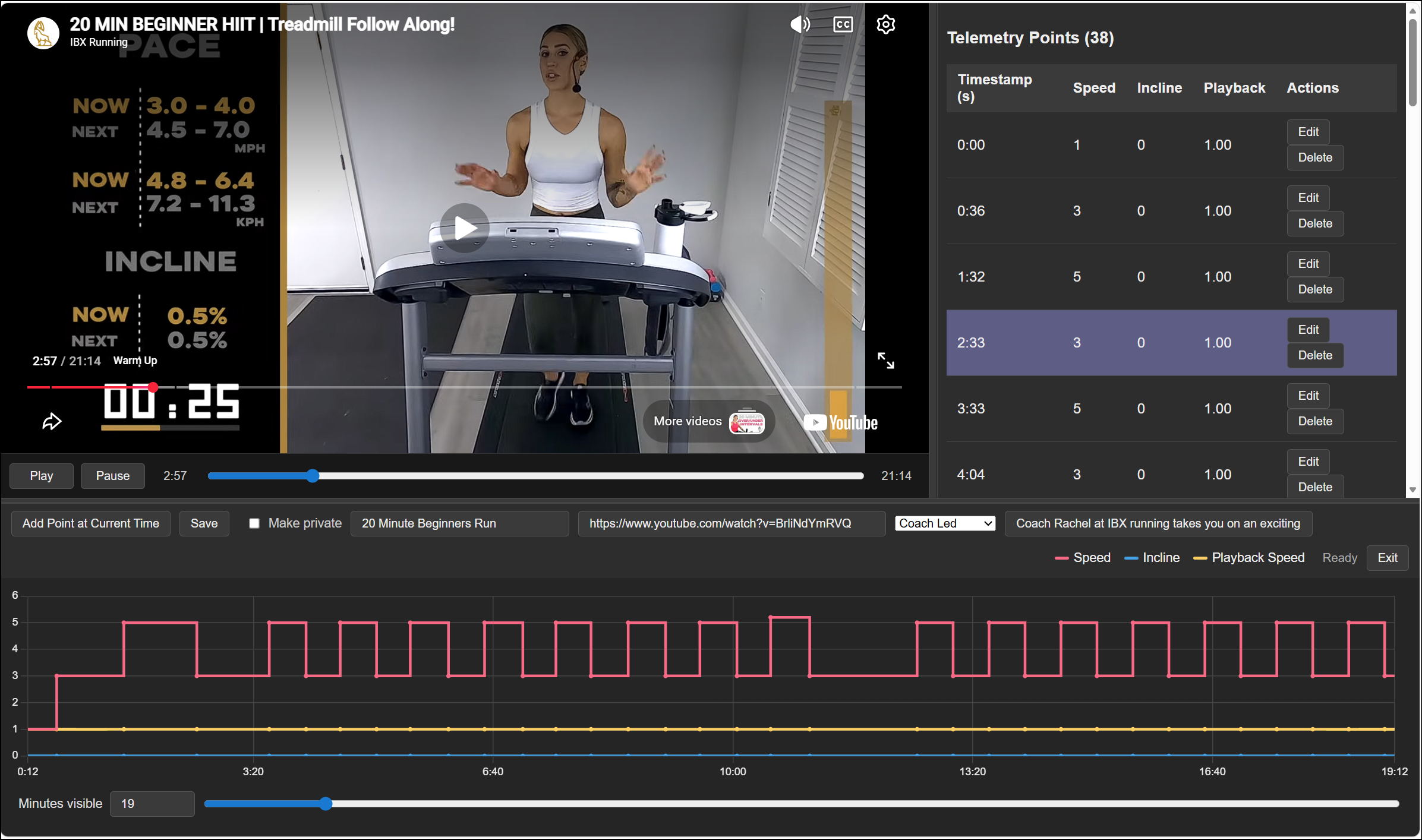
Edit keyframes for speed and incline at exact moments in the video timeline.
Build custom workouts, automate Youtube sessions, and use FTMS control to turn everyday content into measurable training on treadmills, ellipticals, and rowers.
FAQ
GPX or Strava TCX import is for POV YouTube route videos and for building terrain on workouts that need a matched outdoor route. The workout category chosen at creation determines whether primary telemetry is speed (walk/run) or power (cycling and most other equipment types). Once created, that category is locked for the workout.
POV_* category before clicking Create.Imported routes store terrain in natural units in the workout file — incline percent on treadmills, grade mapped to resistance or power on bikes. You do not need a separate account preference to scale hills for GPX-backed workouts.
The bottom player graph and workout landing chart show both primary and secondary lines together. Each timestamp stores both values; the player maps them to your equipment profile and detected device range during playback.
If the GPX file includes timestamps, YouTread preserves that timing even when the route is longer than the video. If it does not include timestamps, YouTread spreads the route across the video duration with a 50% default speed baseline before terrain mapping.
For pure 3D route workouts without YouTube, see Route simulation workouts instead.
Route simulations are GPX-only workouts — no YouTube video. You import a route file and race it in a 3D satellite map player with incline or grade driving your equipment.
Route run simulation uses speed + grade channels. Route cycle simulation uses power + grade. A starter countdown begins the race; your live effort can drive video-free 3D progress along the route.
Route segments, ghost racers, bot racers, and session recording work the same way as other member workouts when telemetry is ready.
Live recording is for POV YouTube workouts where you do not have a route file but still want natural speed/power and incline/resistance telemetry. You perform the workout once on real equipment while YouTread samples what you actually did.
POV_* category.Treadmills record speed + incline. Cycles record power + resistance. Use GPX import when you have a matching route file; use live recording when you want the workout to follow the effort profile you actually performed.
AI Analysis is for coach-led videos where the instructor gives spoken cues for speed, incline, resistance, power, intervals, recoveries, or effort changes. It is designed for Coached_* categories when AI processing is enabled on the server.
AI works best with clear spoken instructions and structured coaching. It is less accurate for music-only videos, unclear audio, or vague effort cues. Treat the result as a strong first draft.
Coach-led playback always uses fixed 1.0× video; equipment follows the generated telemetry. For POV route videos use GPX import; for full manual control use Manual Telemetry in the editor.
Racing adds up to 10 competitors total before you start. Mix saved Human Sessions (real people) and Bot Racers (synthetic pacing targets) on supported workouts.
Human Sessions
Human ghosts follow their recorded session timing, not your live speed or playback bias. Only sessions with at least 20% completion can be raced. Partial-route sessions may not appear on the map until you reach their segment.
Bot Racers (POV and route simulation workouts)
The Bot Racers panel on the workout page adds synthetic competitors such as the original recorded pace (Original Athlete) and personality bots with tunable intensity. Bots and Human Sessions share the same 12-racer limit.
Racing is for motivation and comparison — it does not change the workout's telemetry file.
Member workouts automatically save a Human Session when you complete at least 20% of the workout. Sessions store your real speed, power, elapsed time, and route progress — not playback-bias adjustments to the live view.
Sessions are not recorded in public preview mode. Sign up for the free trial to save and share sessions.
Temporary changes (today's session only)
Use the bias controls in the player panel:
On POV treadmill workouts the player usually starts with Primary: Manual and Secondary: Auto. Manual means YouTread does not command that axis from workout telemetry — use bias buttons as a remote. Auto drives the axis from the workout timeline.
The Controls panel lets you change Primary, Secondary, and Video follows (Off, Auto, My speed, My power) during playback.
Permanent changes (your own copy)
If you own the original workout, you can edit its telemetry directly once it exists. If you do not own it, make a customized copy so the creator's workout stays unchanged.
On POV Cycling and Route Cycle Simulation workouts you can attach an interval plan that drives target power while the route or video still controls grade and route progress.
.zwo, .erg, or .xml plans in Settings.During play the structured plan sets ERG-style power targets. Terrain from the workout timeline still commands incline/resistance or grade as usual. Public preview mode can use public library plans only.
On POV and route-style YouTube workouts, the video can react to your live effort. Most surprises come from video follow (how the player tracks you) and playback bias (a manual nudge on top).
Start with the player Controls panel
How following works
When my treadmill is at max speed the video is still slow. Why?
Video follow compares your speed to the workout target at that moment, not to your treadmill's maximum. If the route is faster than you can run, playback stays below 1.0× even at max belt speed. Bias controls change the belt; playback bias changes only the picture.
If the workout is too fast today, use bias controls, make a customized copy with lower targets, or turn video follow off and watch at normal speed while equipment still follows the workout.
Can Playback Bias make the video jump backward?
No. Playback bias is a temporary visual multiplier. It does not add distance and cannot trigger a seek.
When I decrease Playback Bias the video slows or pauses. Why?
Negative bias reduces visual playback rate. Video follow also pauses when your speed stays at or below your account pause threshold while stopped or walking slowly.
My saved session shows less route progress than I remember. Why?
Saved history records real speed, elapsed time, and distance — not biased playback. Positive playback bias can make the live view look farther along the route than your actual effort. Replayed sessions show only what your recorded speed would have covered. Sessions still save normally; history is authoritative for racing and stats.
Quick checks
My Favorites — workouts you starred for quick access. Can be yours or another member's shared workout. Use favorites to bookmark workouts you repeat often without needing edit rights.
My Workouts — workouts owned by your account: ones you created, customized copies, and drafts. Use My Workouts to edit metadata, add or fix telemetry, toggle public/private, verify YouTube ownership, request terrain certification, or manage route thumbnails.
Both filters live in the category dropdown on workout list pages. List pages also support search, duration filters, sort by popular/newest, and badges such as Featured, Verified Owners, and Terrain Certified.
A workout cannot be made private if other members already have saved sessions on it — convert or communicate with your riders first.
Start with the free demos, then build a smarter workout experience around the videos and routes that move you.
Start Free Today